Contact
 Login


Screenshots show the Japanese interface. The introduction video is in Japanese.
Get the latest version of Shade3D
Use the account details issued at purchase to sign in to the User Information page and download the latest version of Shade3D.
What’s New in Shade3D Ver.27.1
| Animation | |
|---|---|
| Enhanced Fluid Simulation: Whitewater (Spray, Bubbles and Foam) |  |
| Point Clouds | |
| 3DGS-to-Polygon Mesh Conversion | |
| Enhanced glTF Import/Export: 3DGS, Point Clouds and Animation | |
| Rendering | |
| Point Cloud Rendering | |
| External AI Agent Integration | |
| Shade3D MCP: AI Agent Support |  |
|
For the features introduced in Shade3D Ver.27.0, see the Ver.27.0 feature page. What’s New in Ver.27.0 |
|
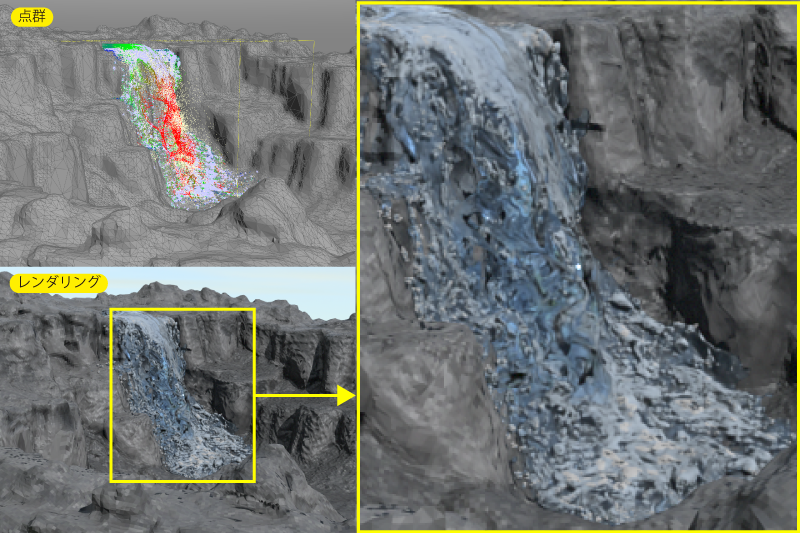
Enhanced Fluid Simulation: Whitewater (Spray, Bubbles and Foam)
Fluid simulation can now generate whitewater, including spray, bubbles and foam, in scenes with vigorous water movement.
Whitewater forms when water breaks up and appears white and foamy because of collisions or wind. In fluid simulation, it is generated as a point cloud when flow vorticity (turbulence) exceeds a threshold or when fluid strikes a collision object above a certain speed. It is generated in both previews and baked simulations.
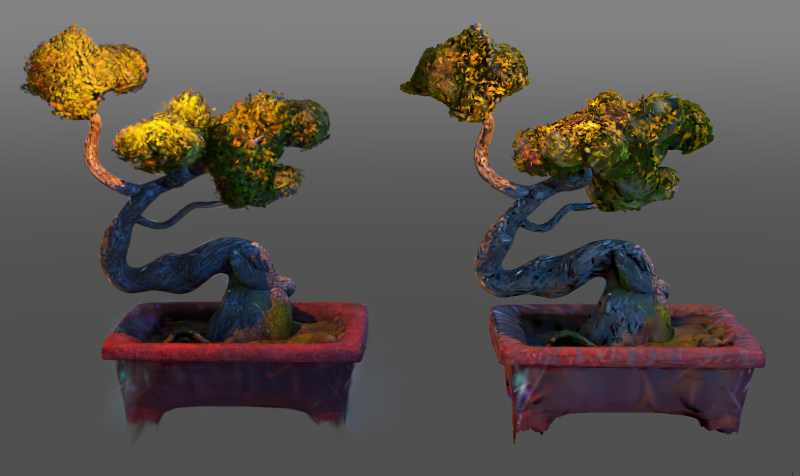
3DGS-to-Polygon Mesh Conversion
You can now use the Wrapping Mesh feature to generate a polygon mesh from a 3D Gaussian Splatting model.
By using information specific to 3D Gaussian Splatting models, the feature captures detailed outer surfaces. You can also combine these models with other shape types: for example, fill missing areas of a scan with polygon meshes before generating the final polygon mesh.
Colors stored in a 3D Gaussian Splatting model can also be transferred to the polygon mesh as vertex colors.
Left: 3D Gaussian Splatting model. Right: model converted to a polygon mesh.
Enhanced glTF Import/Export: 3DGS, Point Clouds and Animation
3D Gaussian Splatting models can now be imported and exported in glTF format.
You can also use Shade3D’s 3D Gaussian Splatting editing tools to extract and export only the parts you need.
The exported models can be used as high-quality scene or object assets in compatible software.
Left: 3D Gaussian Splatting model. Right: exported glTF model displayed in a viewer.
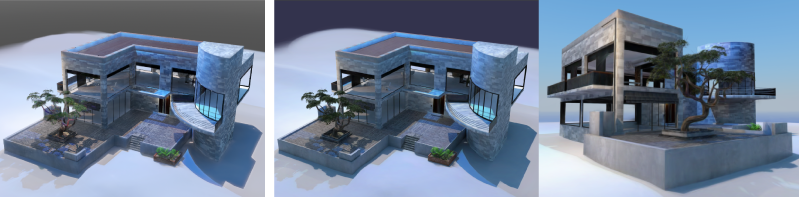
glTF export can now reduce view-dependent color information by changing the output degree of the spherical harmonics coefficients.
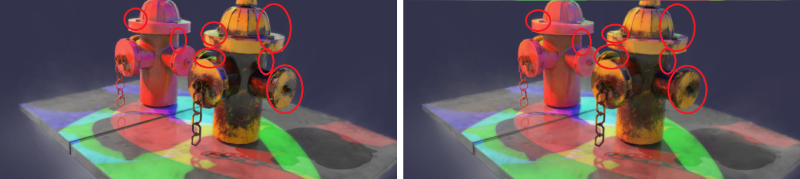
Depending on the use case, you can reduce file size by up to 75%, trading off view-dependent color information such as gloss.
Reducing view-dependent color information. Left: spherical harmonics output degree 3. Right: output degree 0.
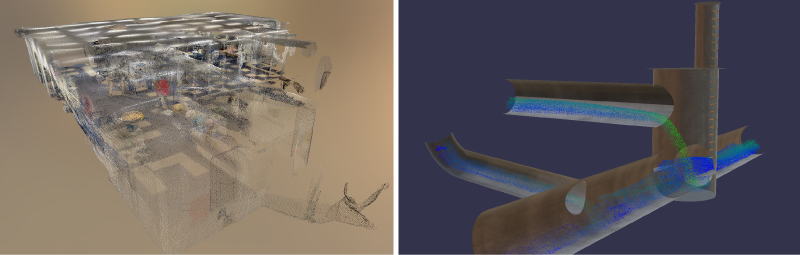
Point cloud shapes can now be imported and exported in glTF format.
On export, point cloud shapes are written as glTF point meshes with vertex colors (meshes whose primitive mode is POINTS).
On import, glTF point meshes with vertex colors are loaded as point cloud shapes.
Exported models displayed in a viewer. Left: survey-based point cloud. Right: point cloud from a fluid simulation.
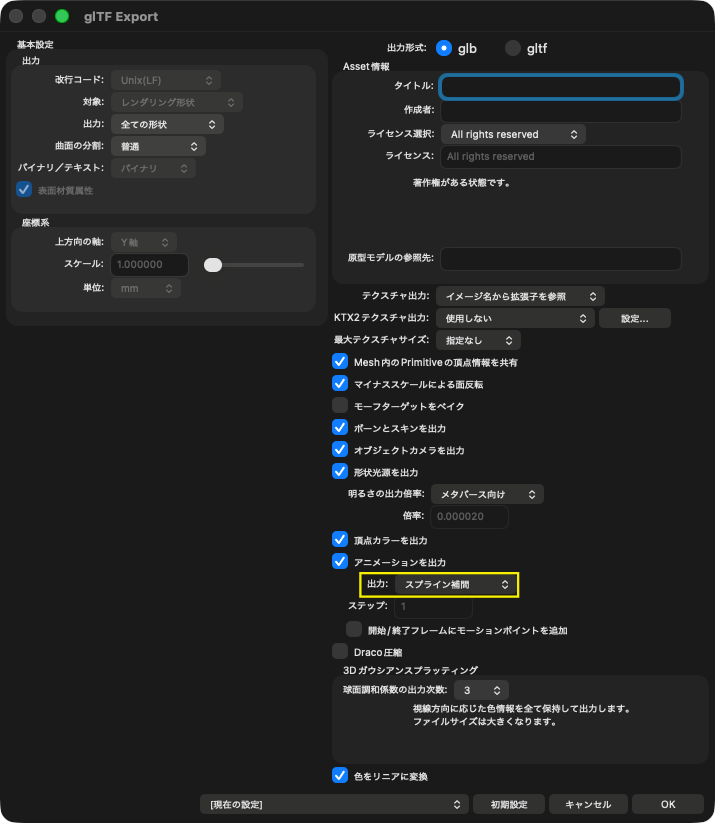
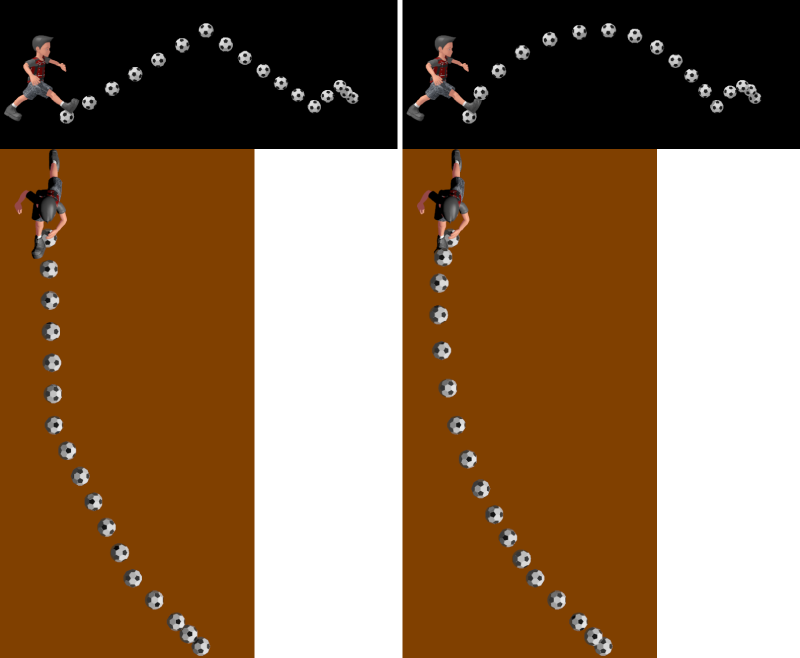
A Spline Interpolation option has been added for exporting animation with spline interpolation.
Select Spline Interpolation on export to reproduce motion in Shade3D more faithfully with fewer keyframes across animation types, including bones, ball joints and morph targets.
Compared with the existing Keyframes setting, it reproduces acceleration, deceleration and curved motion more accurately. Compared with the Step setting, it can substantially reduce the animation file size.
This is useful for exporting long animations and scenes containing many multi-timeline animations.
Animation trajectories of exported models. Left: Keyframes. Right: Spline Interpolation, which produces a smaller file than Step-based export.
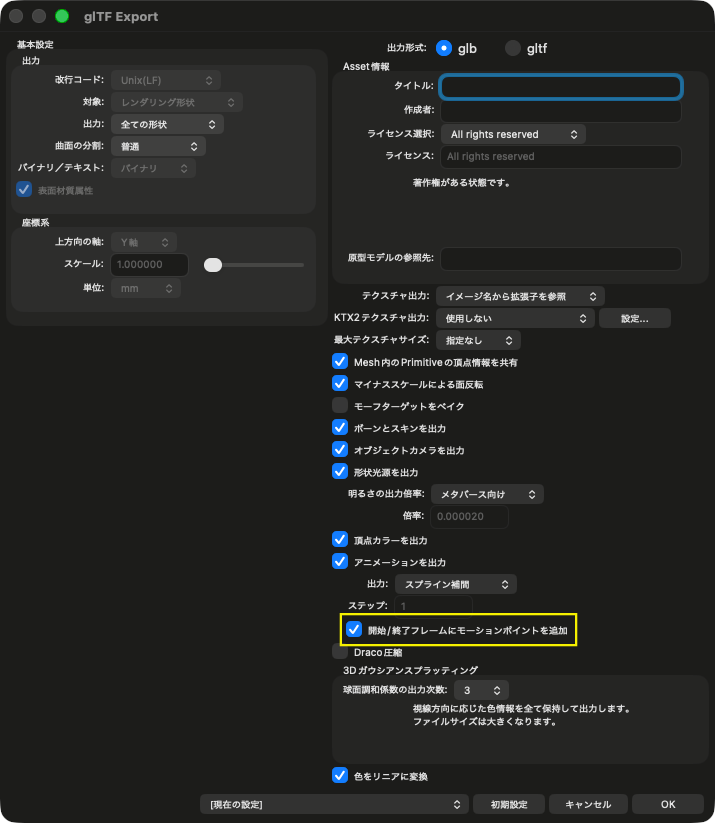
A setting has been added to insert motion points at the start and end frames during animation export.
This setting applies when exporting animation with Keyframes or Spline Interpolation.
Enable Add Motion Points at Start/End Frames to include the motion at the start and end positions on the motion frame when exporting the animation.
The animation duration extends from the start position to the end position.
When the option is off, only key points on the motion frame are exported as animation, matching the behavior through Ver.27.0.1.
If there is no key point at the end position, the animation ends at the last key point.
Point Cloud Rendering
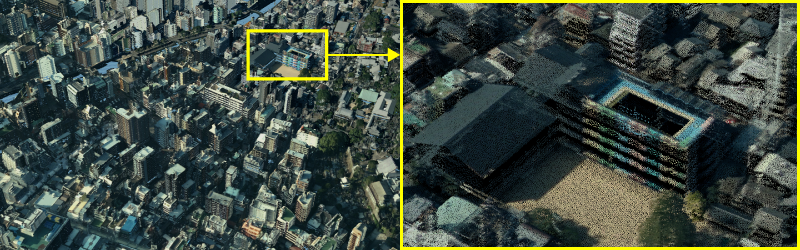
Point cloud data can now be rendered using path tracing and ray tracing.
Points are rendered as tiny spheres. Colors, normals and textures are supported, and the points can be affected by lighting, shadows and global illumination.
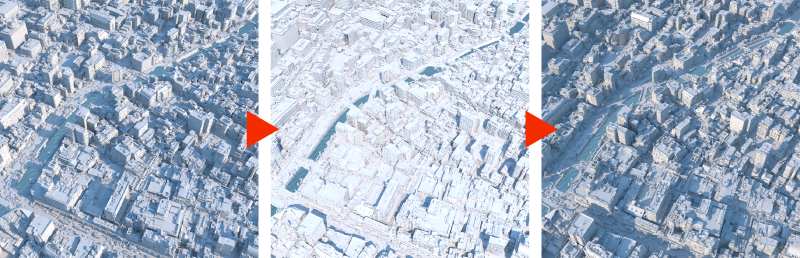
You can use point cloud data directly in rendering without converting it to a mesh. Combining urban point cloud data with Physical Sky also enables applications such as shadow simulation.
Note: rendering of 3D Gaussian Splatting is not supported.
Rendering open point cloud data: Nagasaki Prefecture’s Open Nagasaki “Point Cloud Data [01KE9824]”.
Sunlight simulation using Physical Sky.
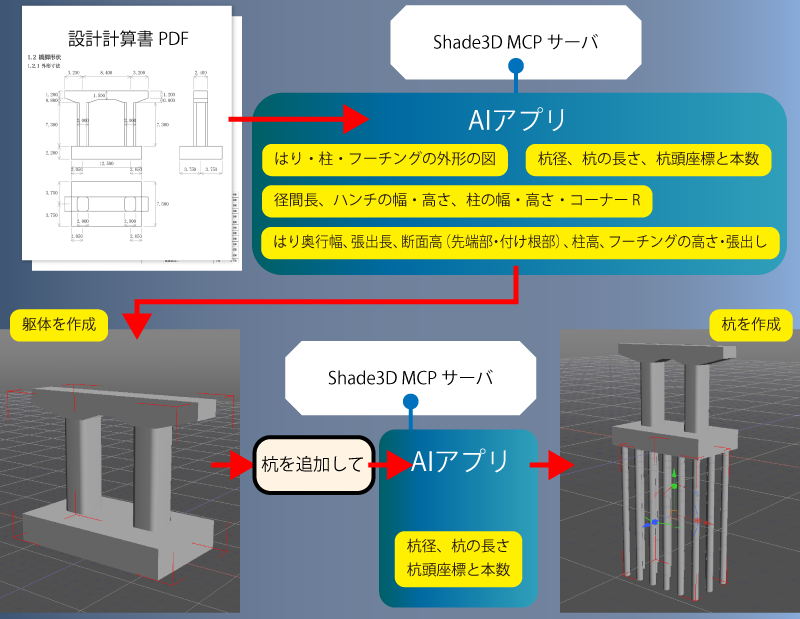
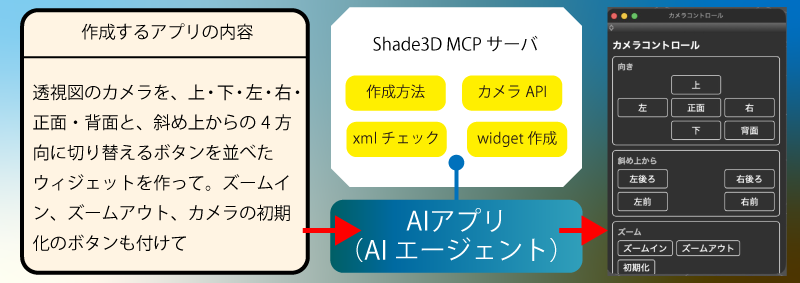
Shade3D MCP: AI Agent Support
AI applications that support MCP (Model Context Protocol) can now be used to create 3D models and Widgets.
Shade3D MCP lets you operate Shade3D from MCP-compatible AI applications such as Claude and Codex.
You can ask an AI application to create and edit scenes, capture images of drawing views, and look up API information.
You can also register Shade3D with an AI application from a Shade3D Widget, helping prevent unauthorized external access while using Shade3D.
An account with an MCP-compatible AI service, such as Claude or ChatGPT, is required.
MCP provides programs with access to capabilities and data, such as databases and APIs, helping improve the quality of AI-generated output and productivity.
Instruct an AI application connected to the Shade3D MCP server to create a Widget—for example, one that controls the camera.
Instruct an AI application connected to the Shade3D MCP server to prepare design calculations and create a 3D model.