Contact
 Login



Check the account details issued at purchase and visit theUser Information pageto download the latest Shade3D.
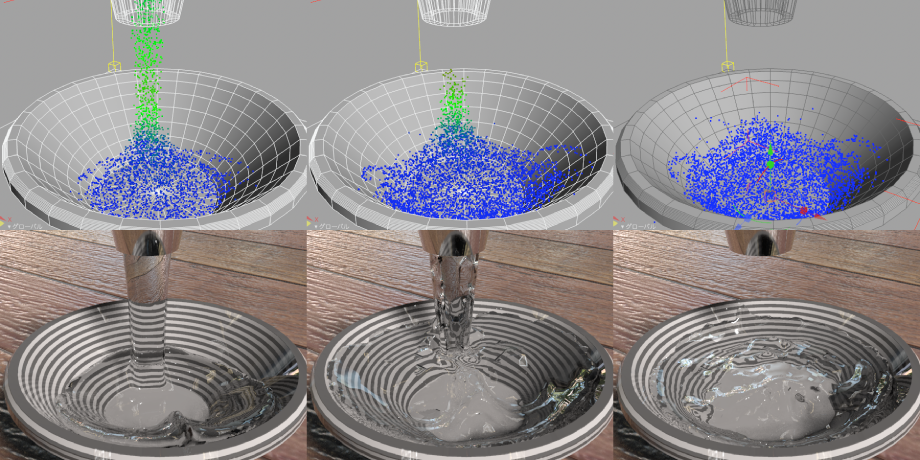
Fluid simulation
Simulate water and snow movement using physics.
Use polygon meshes to create realistic flowing water easily.
Supports sequence-animation simulation previews and baking simulation geometry for animation rendering.
For fluid simulation details, seethis pagefor details.
3D Gaussian splatting support (PLY import/export)
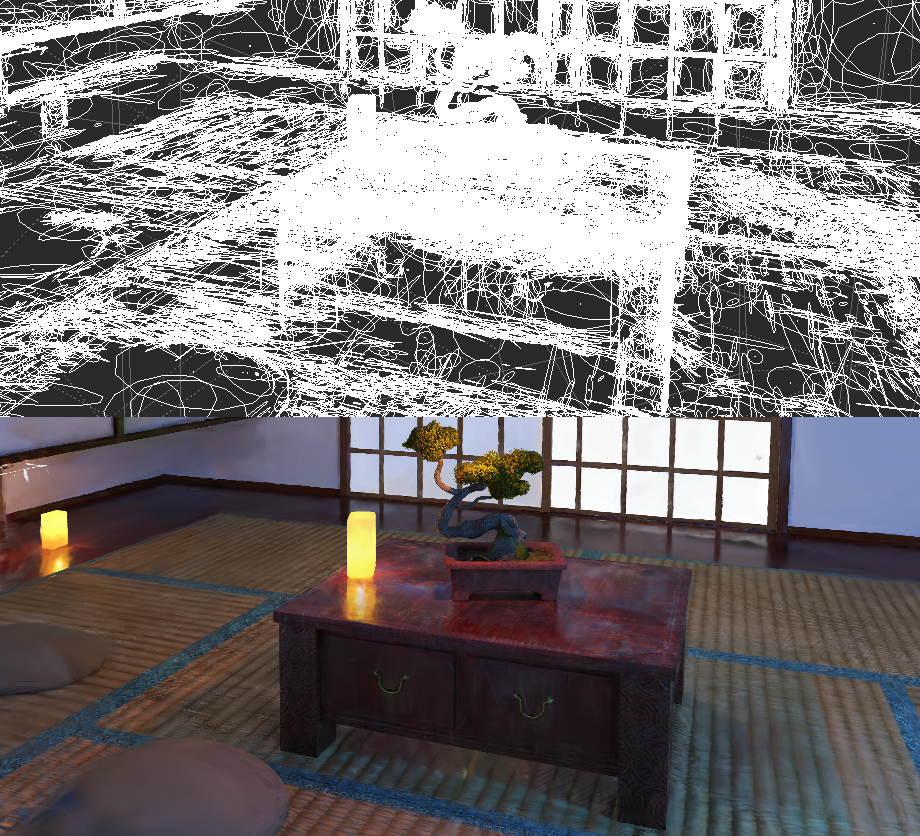
3D Gaussian splatting is a next-generation rendering technique that uses AI-built 3D spatial data from photographs and videos to reproduce objects and environments at high quality in real time.
Import and export PLY files containing this information, display simplified previews and edit them with point-cloud tools.
Combine Gaussian splats, polygon models and NURBS models in the same scene to create assets.
Enhanced polygon mesh generation
Wrapping Mesh can now generate polygon meshes from point clouds.
Mesh complex structures, reproduce internal geometry and reduce failures around missing points, making point-cloud data more useful.
Combine point clouds with other geometry, for example filling scan gaps with polygon meshes before generation.
Point-cloud colors can be transferred to polygon-mesh vertex colors.
Point clouds are supported when Wrapping Mesh generation is set to Adaptive.
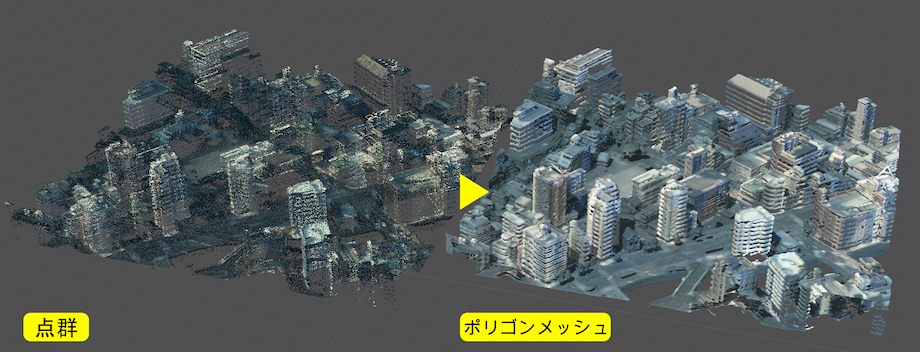
Data provided by:Nagasaki Prefecture, Open Nagasaki: Point-cloud data [01KE9824]
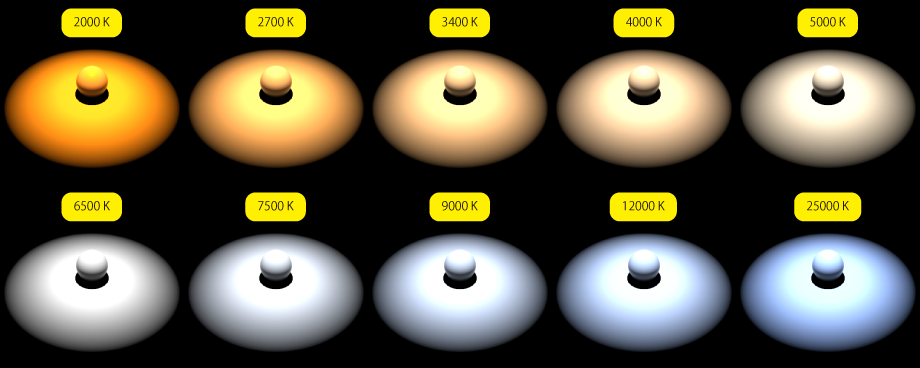
Enhanced lights (color-temperature settings)
Set light colors using color temperature.
Specify lumens and color temperature from a lighting product's specifications to simulate the actual fixture.
Professional and higher editions can use IES files for more accurate simulation.
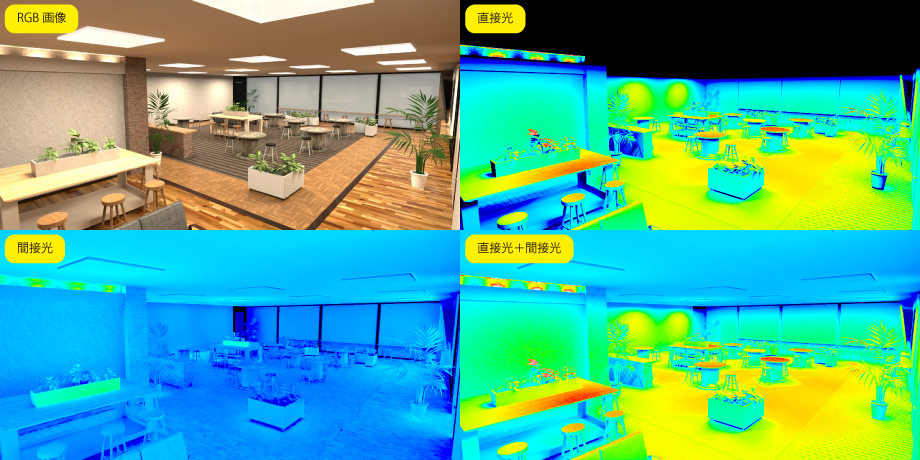
Illuminance measurement (multipass rendering)
Three illuminance passes have been added to multipass rendering.
View the brightness produced by lights as a heat map.
Direct, indirect and combined light passes help assess illumination including the effects of indirect lighting.
Pixel Information shows illuminance at a selected point in lux.
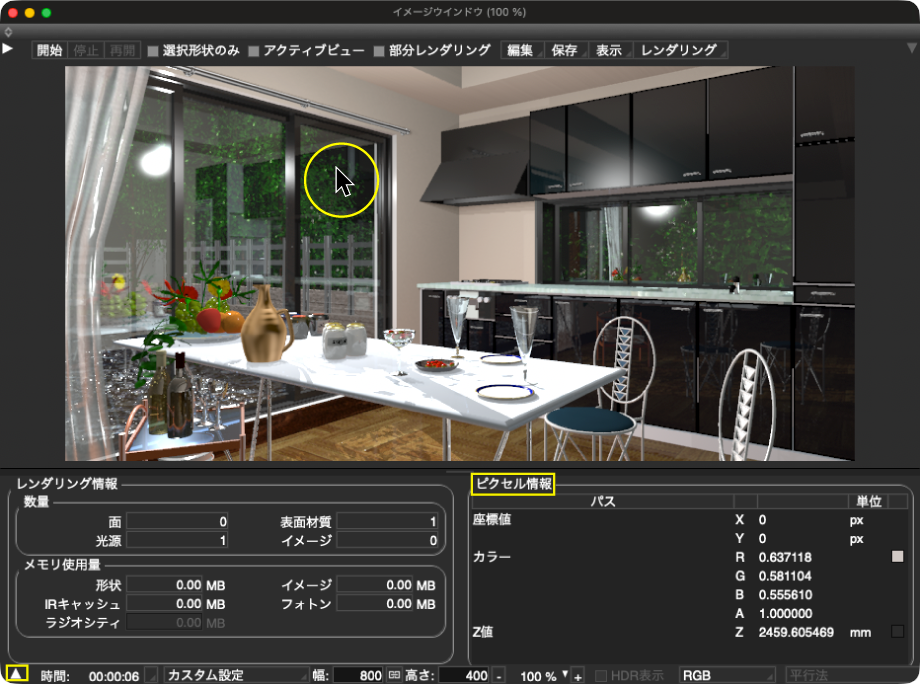
Pixel Information Basic (rendered images)
Pixel Information has been added to Rendering Information, opened from the triangle at the lower left of the Image window.
Display colors and values at the pointer position on a rendered image.
Check image coordinates, color, transparency and Z values.
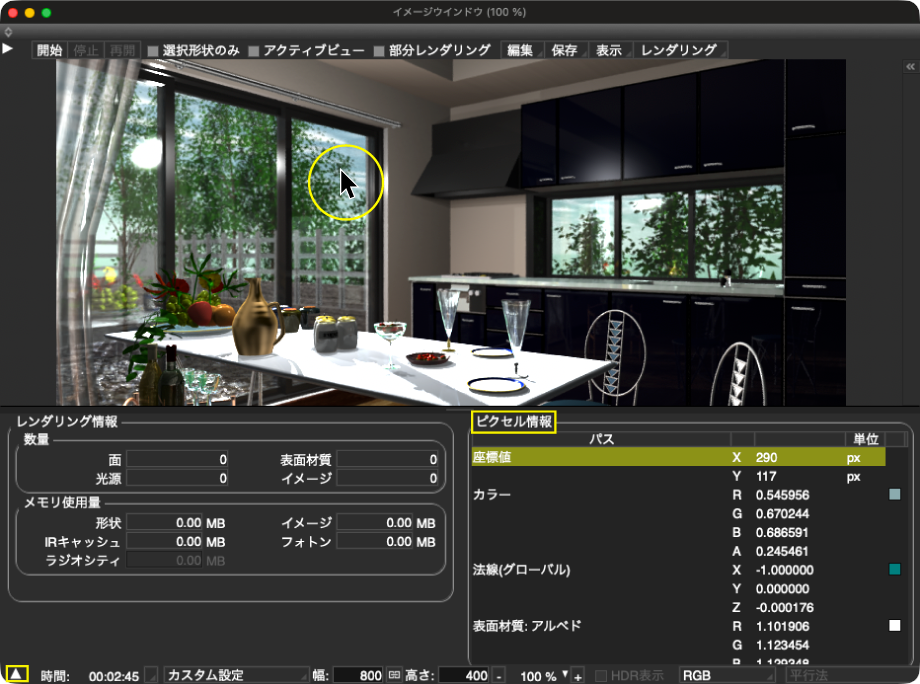
Pixel information (rendered images)
Pixel Information has been added to Rendering Information, opened from the triangle at the lower left of the Image window.
Display colors and values at the pointer position on a rendered image.
Inspect values for enabled multipass channels, including illuminance and normals.
SVG import/export
SVG (Scalable Vector Graphics) import/export is now supported.
Import SVG paths as line objects and export line objects as SVG. SVG files can also be used as image resources like PNG and TGA.
• SVG import
Choose File > Import > SVG and select an .svg file. There is no import dialog.
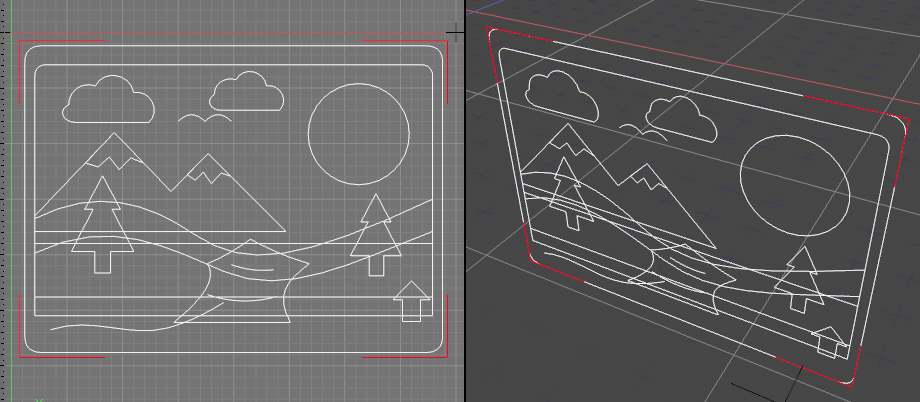
• SVG export
Choose File > Export > SVG and specify a save location. The export dialog contains basic settings only, with no options.
Enhanced DXF import/export (R13 and later)
• DXF import
Supports DXF files from Release 13 onward.
Supports ELLIPSE entities.
No additional settings have been added to the import dialog.
• DXF export
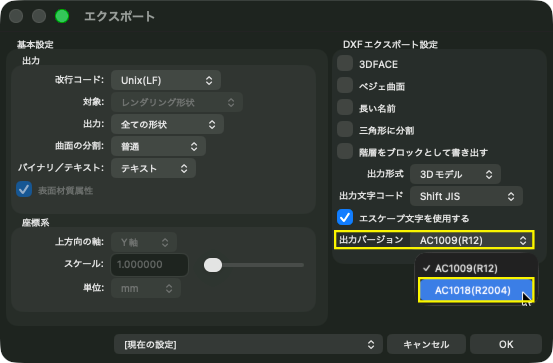
Adds R2004 (AC1018) DXF export alongside R12 (AC1009).
When exporting R2004, an untilted circle with unequal axis lengths is exported as an ELLIPSE.
AI Generation Tool Ver.2 (3D model generation)
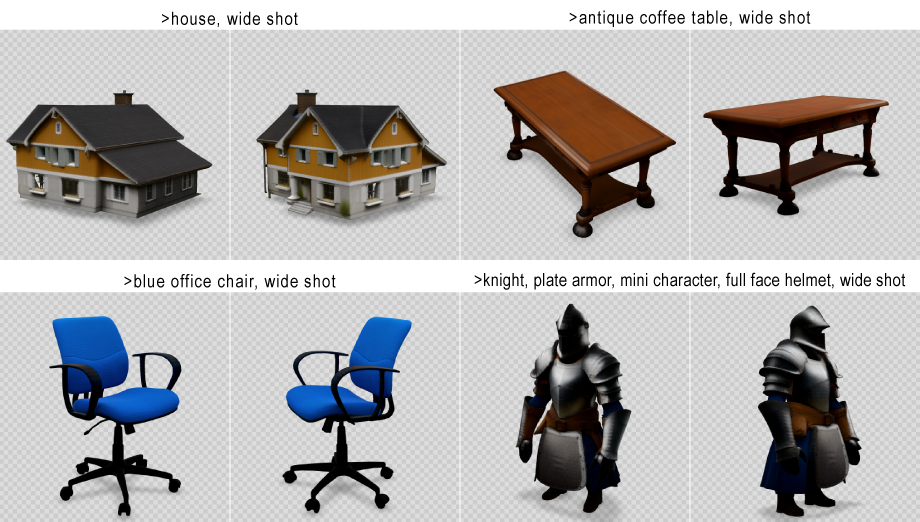
In addition to image generation, create 3D models from text and images.
Inspect results in real-time preview, save as OBJ or glTF (glb), or import them into a Shade3D scene.
Image generation adds Object and Photorealistic styles to the Text to Image Assets category.
For AI Generation Tool details, seethis pagefor details.
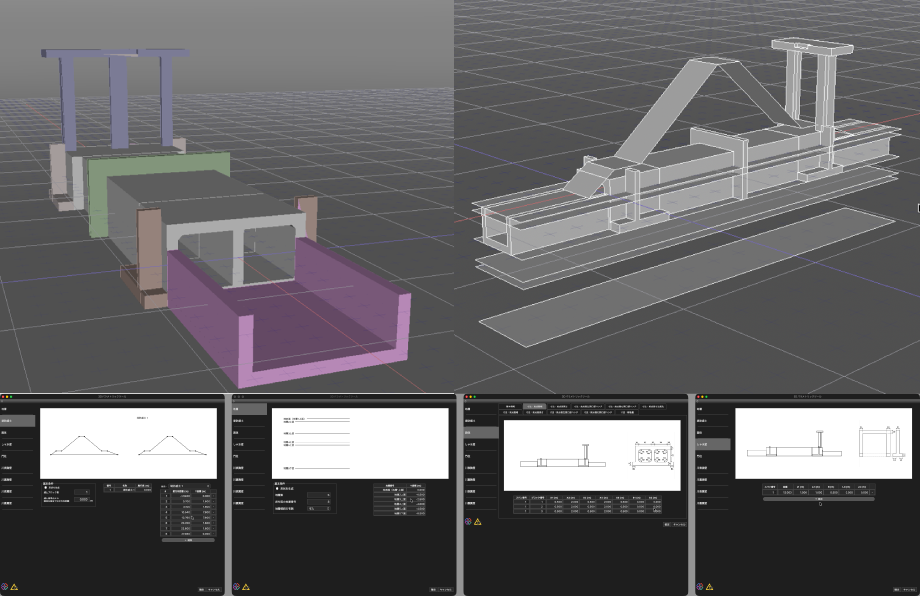
Shade3D 3D Parametric Tool Ver.3 (hydraulic structures: flexible sluices)
Generate 3D models of flexible sluices.
The following components can be generated:
• Ground layers • Embankment fill • Culvert body • Cutoff wall • Gate piers • Riverside/landside breast walls • Riverside/landside wing walls
For 3D Parametric Tool details, seethis pagefor details.
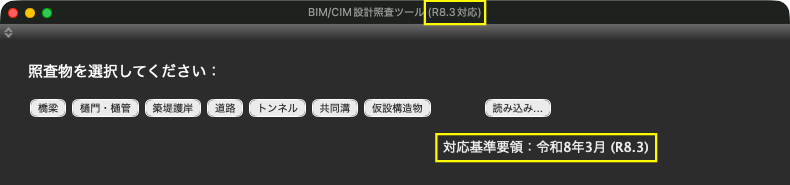
BIM/CIM Design Check Tool (optional): R8 support
Supports Japan's MLIT BIM/CIM standards and guidelines (March 2026, R8.3).